
When this whole thing of COVID-19 started many of us saw ourselves locked in our homes in order to avoid getting the disease in the streets. Being at home is not a big deal if you have something to do, and after doing the chores, working or even reading a bit I still had some time to burn to keep boredom away. I had already installed Netflix and Crunchyroll in my PS3 so I could watch series and movies in the big TV in the living room. Then thanks to a free trial I had the chance to access Prime Video content, which I finally decided to keep. I noticed that the TV and the PS3 were both on all day and the electricity bill was really high. Besides, console joysticks run out of battery really fast and using the digital keyword takes valuable time.

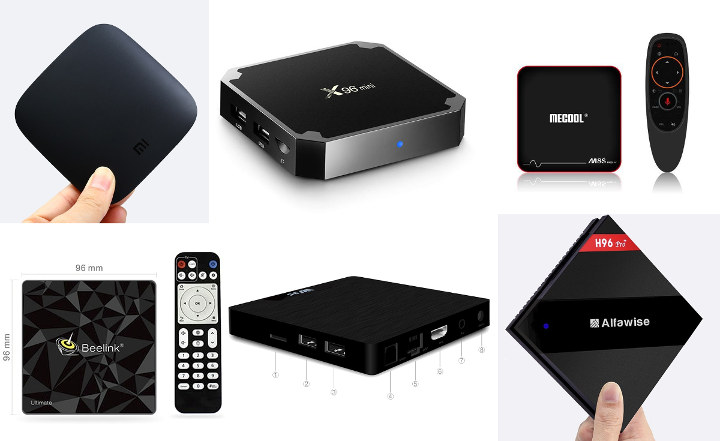
Then one day I found out about this device to turn your TV into a smart tv, the so called “TV BOX”. This device lets you download tv streaming applications in order to watch series, movies, music, videos on your TV. They can be for free just like PLUTO TV or paid like NETFLIX or PRIME VIDEO, HBO PLUS, or HULU. There are boxes by XIAOMI, GOOGLE, AMAZON, NVIDIA, even APPLE. All of them pricing above 40 bucks! One of the things that kept me from buying one was that some devices is that the budget ones (the less expensive options) have issues with one or more particular apps. For example, the Fire Stick (by Amazon) has issues with Google related apps such as YOUTUBE. Now, Xiaomi boxes have issues with Prime video (by Amazon, again). Compatibility was the problem here.
Fortunately I got to know about Roku Express HD. It was the ultimate choice that fulfilled my needs. It is compatible with apps such as Netflix, Prime Video, YouTube, and Crunchyroll (which are the ones that I would basically watch). It streams in up to 1080p HD and reproduces audio in either stereo or Dolby Digital, in case you have a home cinema system.

It comes in a small box and includes: the roku device, a USB cable with a charger adapter, a HDMI cable, a remote control, and the manual. Additionally you will get a pair of AAA batteries, some stickers and a double-sided sticker to adhere your Roku to a surface (like the TV itself, for example).

It's really light, maybe not as much as the Fire Stick (by Amazon), but it's definitely one of the smallest devices I've seen.

You have different options to watch free content and different categories as well: comedy, horror, kids content, sports, news, though the ones with best content need subscription. Roku Express is available in online stores in Ecuador over $50 but in Amazon you can get it for less than $ 30.

One thing that I really like is that you can search for any content and it will tell you where you can find it, of course if it’s a paid app, you won’t watch it until you pay for it.

Something interesting is that you can use your cellphone as a remote control if you are using the same wifi network as the Roku. Also you can stream content from your cellphone, not only Youtube videos but also media in your memory, just like pictures, songs, videos, and so.

One thing that bothered me was that I couldn’t find Prime Video in the channel store. Then I found out it wasn’t available in Ecuador because Roku doesn’t have official client support service in this country. For that reason I had to "cheat" it by signing up using a VPN with an IP of Argentina. That way I could download not only Prime but also other channels.

Even though the box says “EASY TO SET UP”, it’s not THAT easy since you need to create and account, set a password and then confirm your account by clicking on a link they send you to your email address. Then you can start downloading apps, logging and streaming.
You’d better not disconnect your Roku. Some apps might ask you to reenter your user and password. If you took your device to a sleep over in a friends’ house, you would need to set the wifi network again once you’re back at home. Once I had forgotten my remote at my parents’ so when I tried to use my cellphone but it didn’t work since they have to be connected to the same wifi signal. One more thing, if you lose your remote control, then your Roku won’t work anymore. I’ve read about spares but they are almost 10 bucks and I wonder if they are compatible with this model.
|
Pros |
Cons |
|
Budget friendly Light Compatibility with most apps A lot of free content available Easy to manage settings once you've signed up Works perfectly with other devices connected to the same network.
|
Set up is somewhat easy but definitely not quick Region restrictions (which lead users to cheat the system)
|
All in all, the Roku Express 2019 is the best choice for avid series and movies consumers. It’s not as expensive as others that offer you exactly the same. It’s compatible with everything out there and it’s really light to carry everywhere. You might need to take some actions to cheat it if you live in a country where certain app is not available but it’s definitely worth it! I give it a 9/10.
Comentarios
Publicar un comentario